
Connecting your Binated account to Elite Core only takes a couple of minutes. The important part is that each Elite Core user connects their own Binated credentials so requests are tied to the correct personal Binated account.
1. Get your Binated API credentials
Sign in to Binated and open the Integration area of your account:
Open Binated Integration Settings
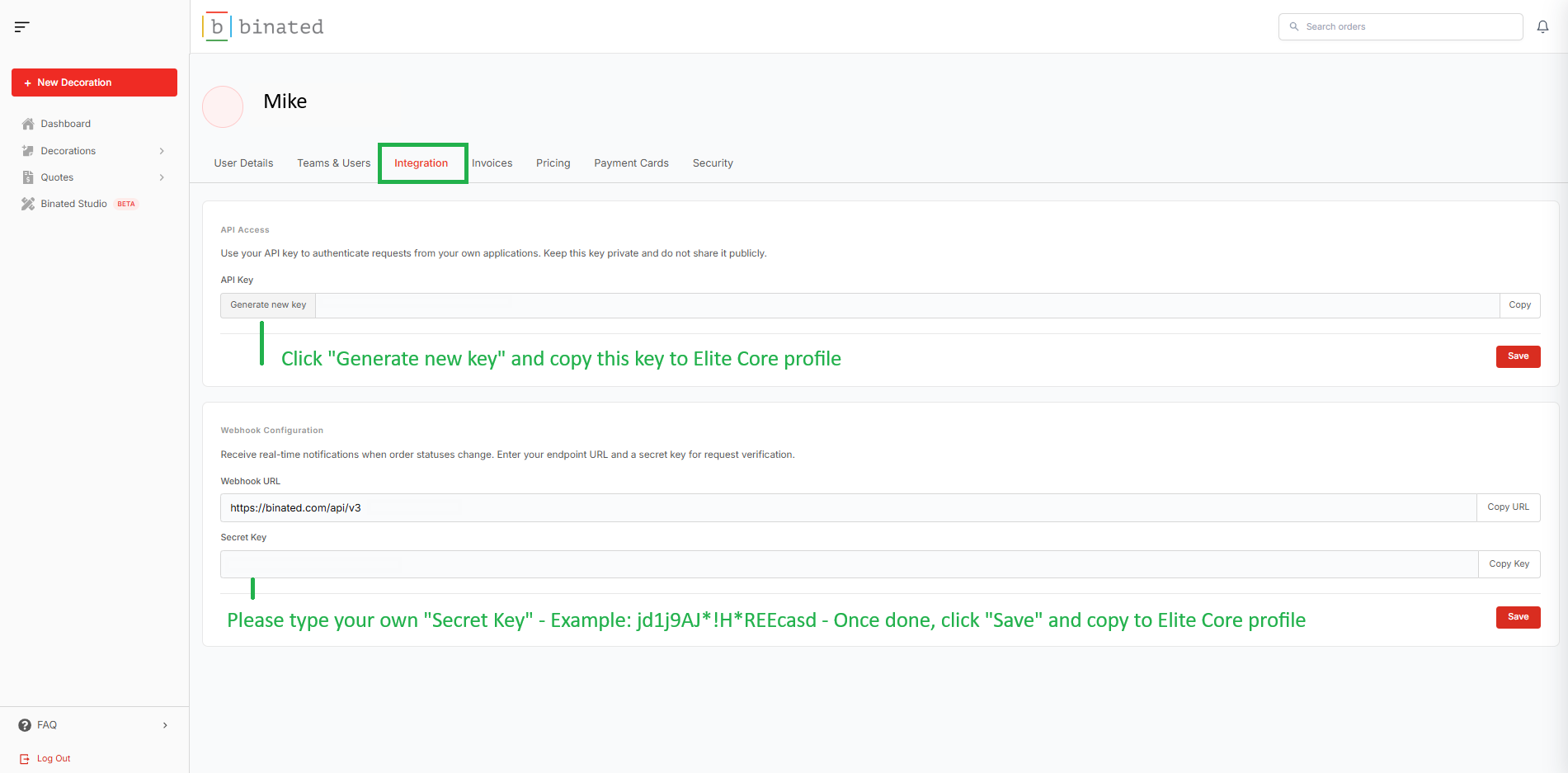
From here, you can access the API and webhook credentials associated with your Binated account. Keep these values private – they work like passwords for the integration.
2. Add your credentials to your Elite Core profile
Next, open your Elite Core profile:
Open Elite Core Profile
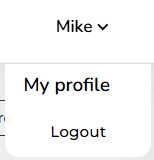
Enter your individual Binated API credentials in your profile and save your changes.
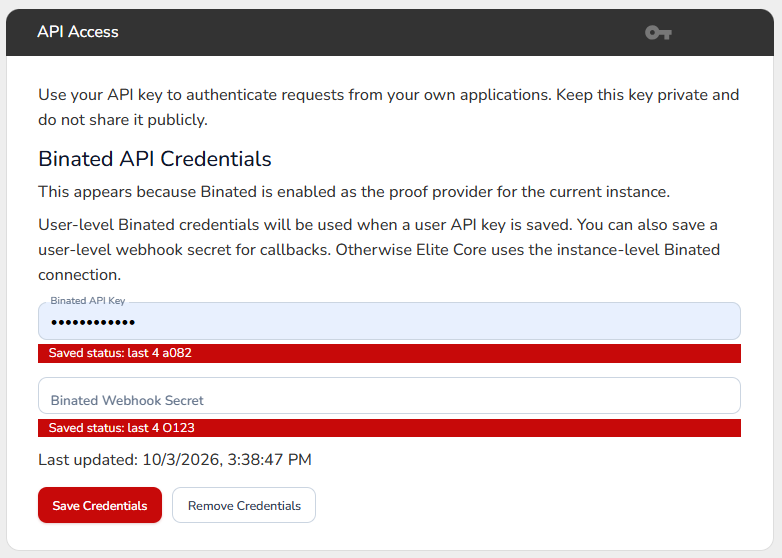
This step matters: if your own credentials are not entered in Elite Core, Binated activity will not be connected to your personal Binated.ca account.
3. You’re connected
Once your credentials are saved, Elite Core can communicate with Binated using your account.
Why connect Binated to Elite Core?
Connecting the two systems keeps the workflow much simpler. Artwork and design-service requests can move between Elite Core and Binated without requiring you to jump between systems or manually re-enter information, while activity stays associated with the correct Binated user.
That means a faster workflow, better tracking, and fewer manual steps.
Security reminder: never share your API key or secret key with another user or include them in screenshots, emails, or support messages.